Online Wedding RSVP Features
Everything included with MySimpleRSVP
From QR codes and meal choices to invitation uploads and guest tracking, MySimpleRSVP gives you the tools to manage wedding RSVPs in one place, without spreadsheets or complicated setup.
★★★★★ Trusted by couples to manage RSVPs online
“MySimpleRSVP made collecting responses so much easier than managing everything manually.”
“Simple to set up, easy for guests to use, and saved us hours of chasing replies.”
Share your RSVP page
Share your RSVP page however you like
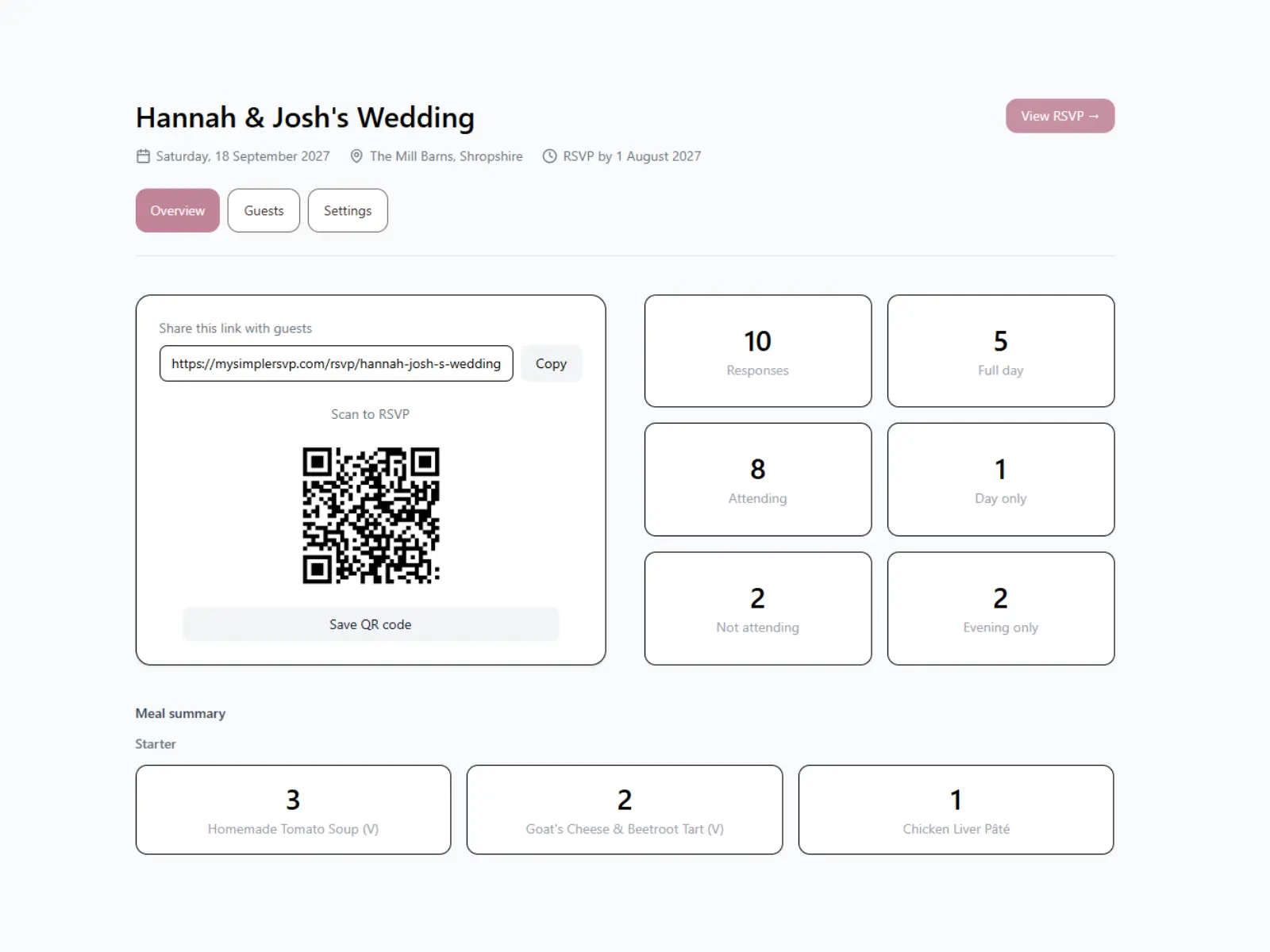
Send a link by email, WhatsApp or social media, add a QR code to printed invitations, or upload your invitation directly to your RSVP page.
Share a simple link
Send your RSVP page by message, email or social media so guests can reply from any device.
Download your QR code and include it on printed invitations, signs or wedding details cards.
Show your invitation before the RSVP form to make the page feel more personal.
Response dashboard
Keep your responses organised
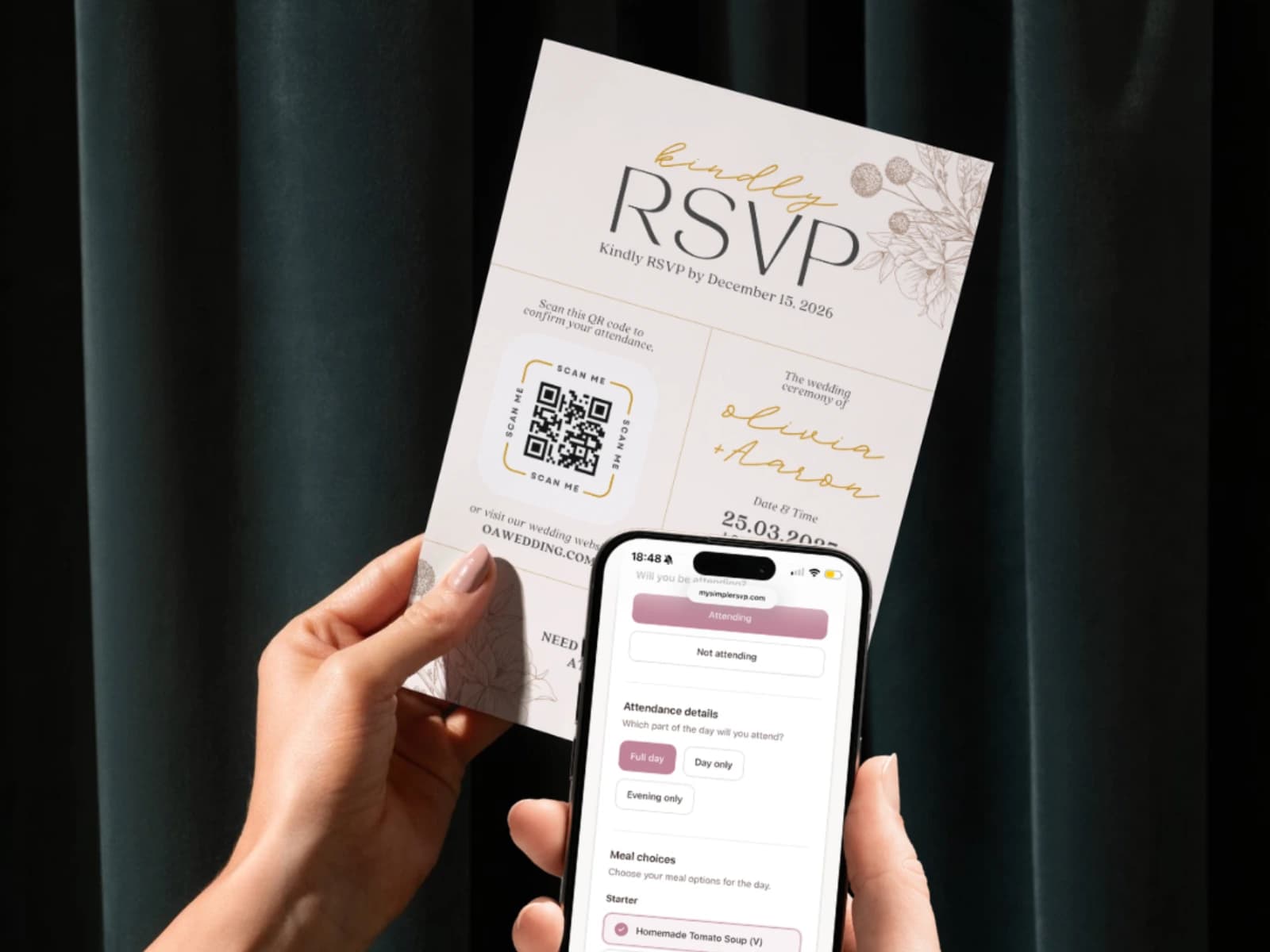
Every RSVP is collected automatically and displayed in your dashboard, giving you a clear overview of attendance, meal choices and guest details.
Clear response summary
See how many guests have responded, how many are attending, and how many are not attending.
Meal summaries by course
View meal totals grouped by course, including starters, mains and desserts, so final numbers are easier to send to your caterer.
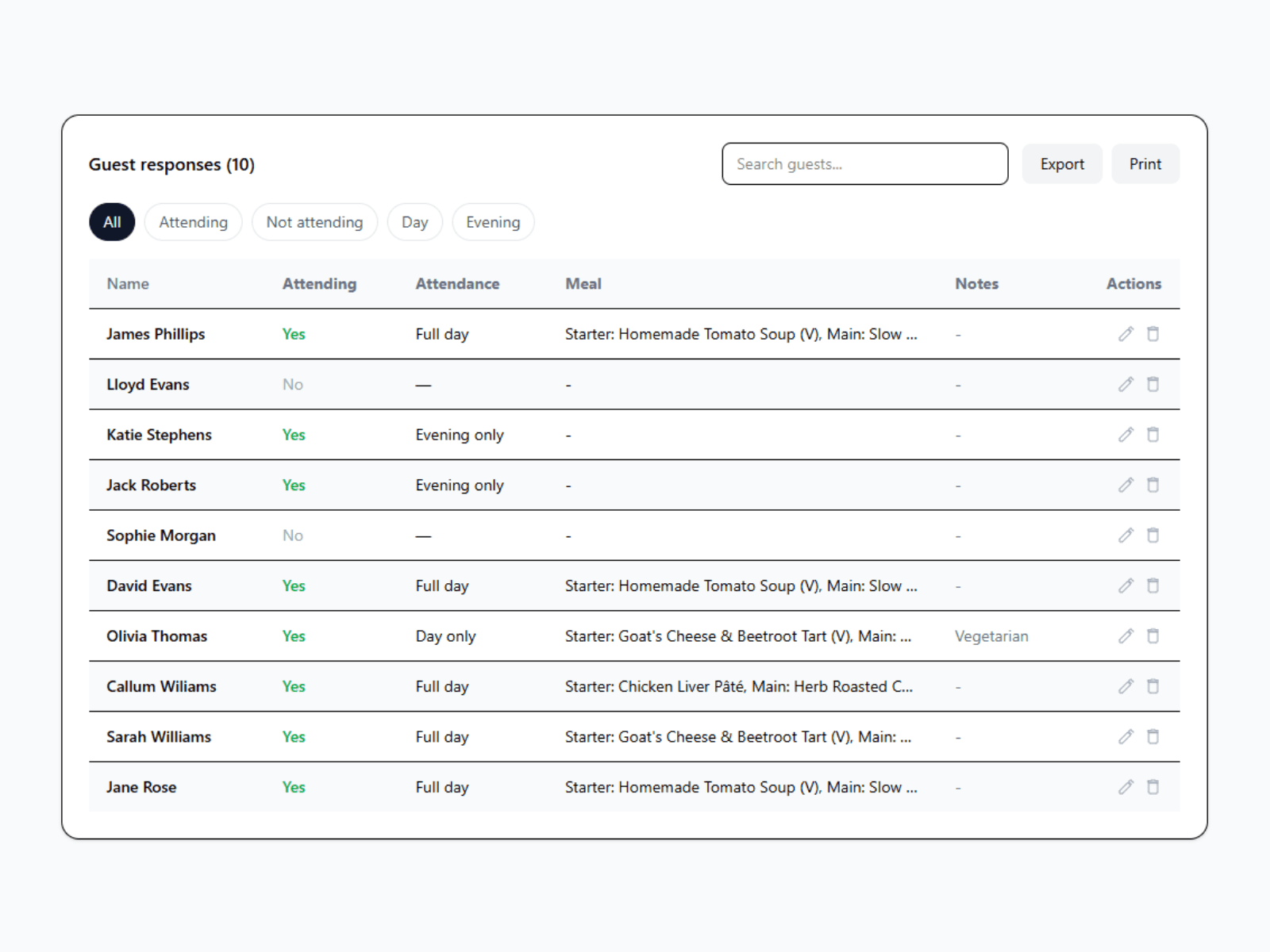
Search, filter and edit responses
Find guest responses quickly, filter by attendance, and edit or remove responses if plans change.
Export your guest list
Download your responses as a CSV, including separate columns for multi-course meal choices.
Event personalisation
Create an RSVP page that feels like your event
Add your invitation, cover photo, message and event details to create a personalised RSVP experience for your guests.
Create separate courses such as starters, mains and desserts, each with their own options for guests to choose from.
Day and evening attendance
Allow guests to choose which part of the event they will be attending when they RSVP.
Display your invitation
Upload your invitation as an image or PDF so guests can view it before completing their RSVP.
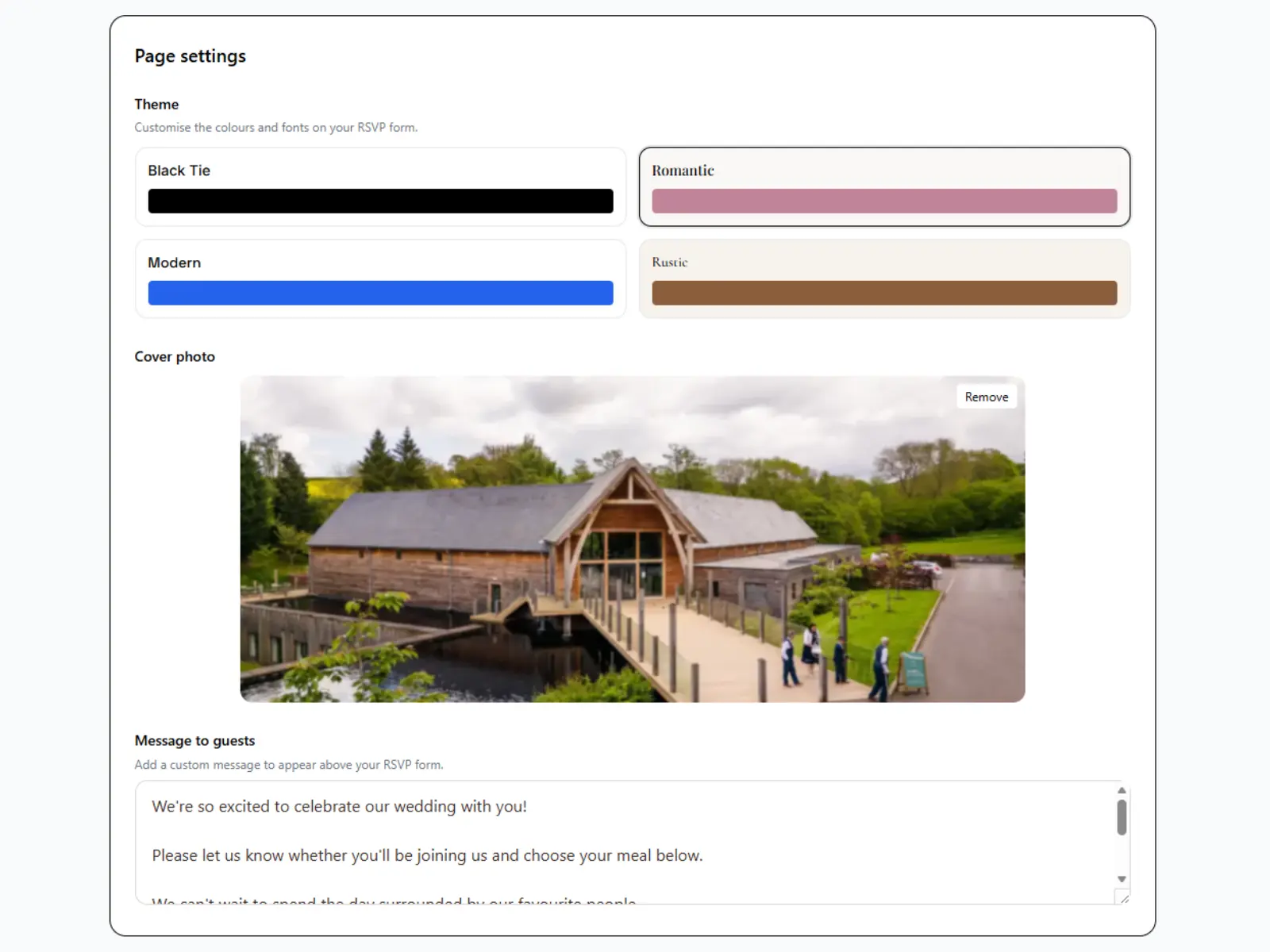
Themes and cover photos
Choose a theme, add a cover photo and include a personal message to make your RSVP page feel unique to your event.
Ready to create your RSVP page?
Create your event in minutes, share it with your guests, and track responses from one simple dashboard.
Free for up to 10 guest responses. Upgrade only when you're ready.