Collect RSVPs
the simple way
Create a simple online RSVP page in minutes. Share it with a link or QR code, collect guest responses and meal choices, and keep everything organised in one place.
Perfect for weddings, parties & special events.

Wedding RSVP
Hannah & Josh
Saturday, 18 September 2027
The Mill Barns, Shropshire
Will you be attending?
Meal choice
96 attending
Meal summary
Everything you need to manage RSVPs
Create your RSVP page, collect responses and keep everything organised in one place.
Guest Tracking
See who's attending, declined or still needs to respond.
Invitation Uploads
Display your invitation before guests submit their RSVP.
No Guest Accounts
Guests simply open your RSVP link and respond. No sign-ups or apps required.
See everything in one place
From guest responses to meal choices, MySimpleRSVP keeps your event organised.
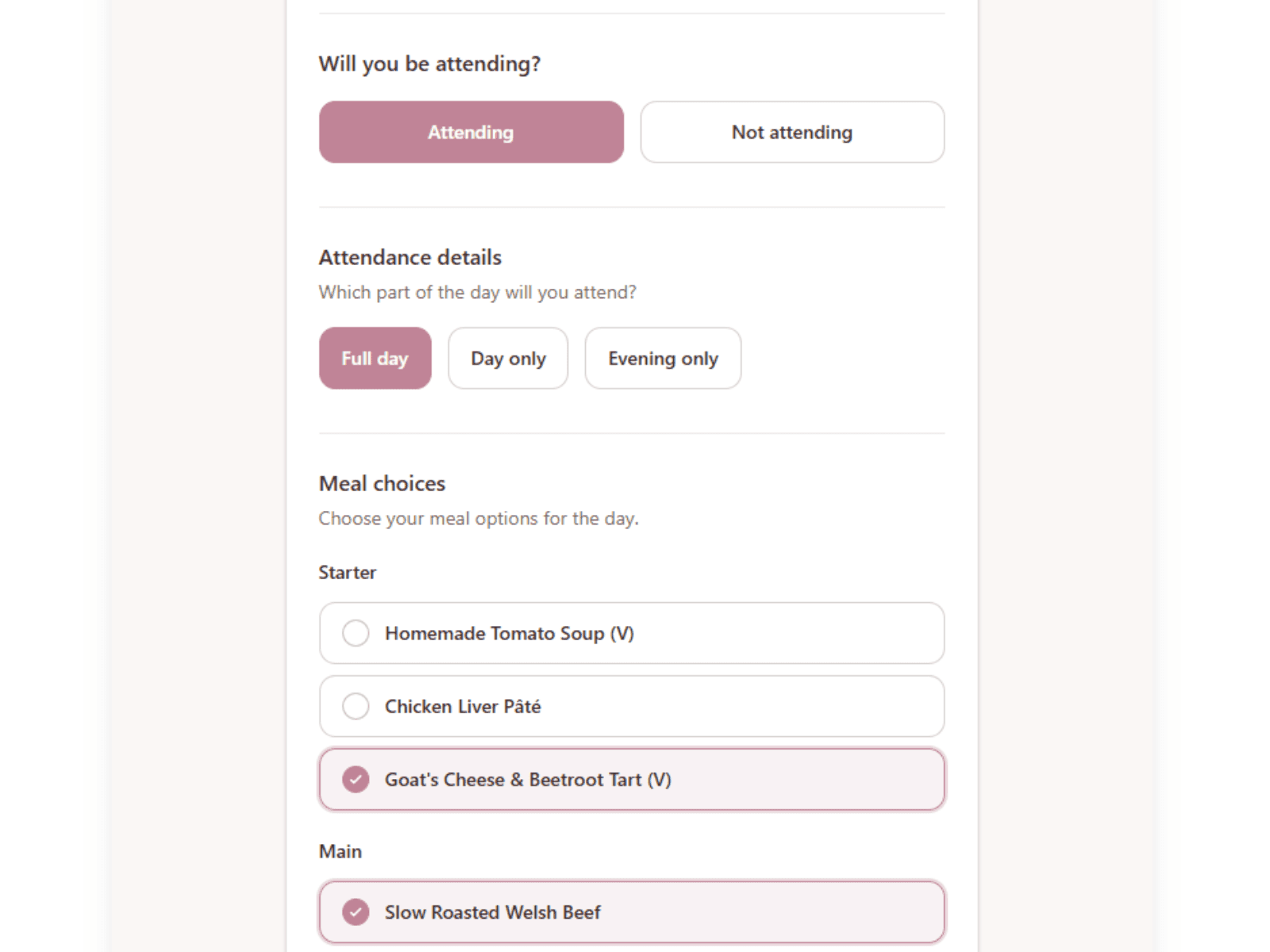
A simple RSVP page for guests
Guests can respond from any device using your personalised RSVP page.
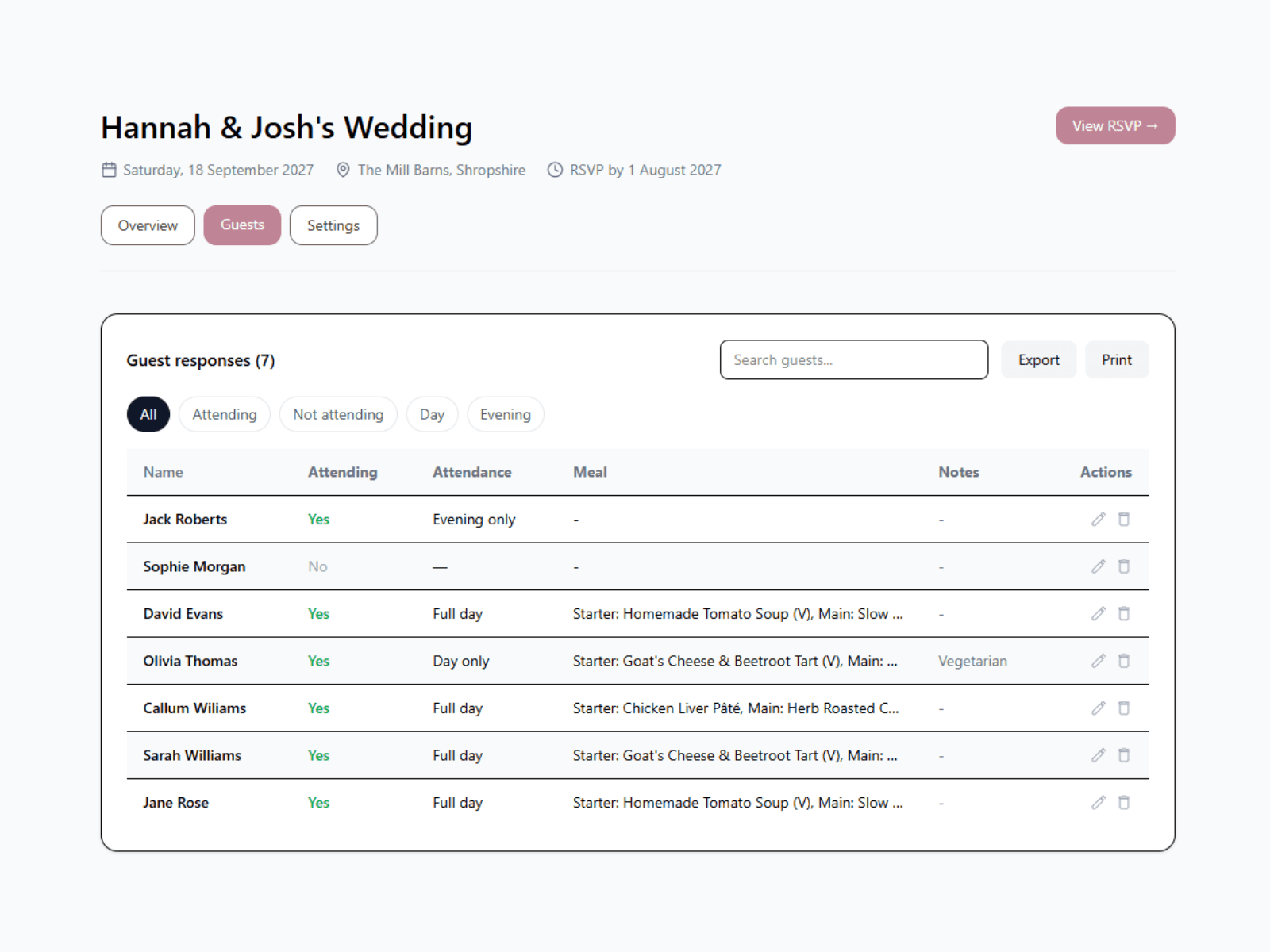
Track responses instantly
Track attendance, meal choices and guest notes as responses come in.
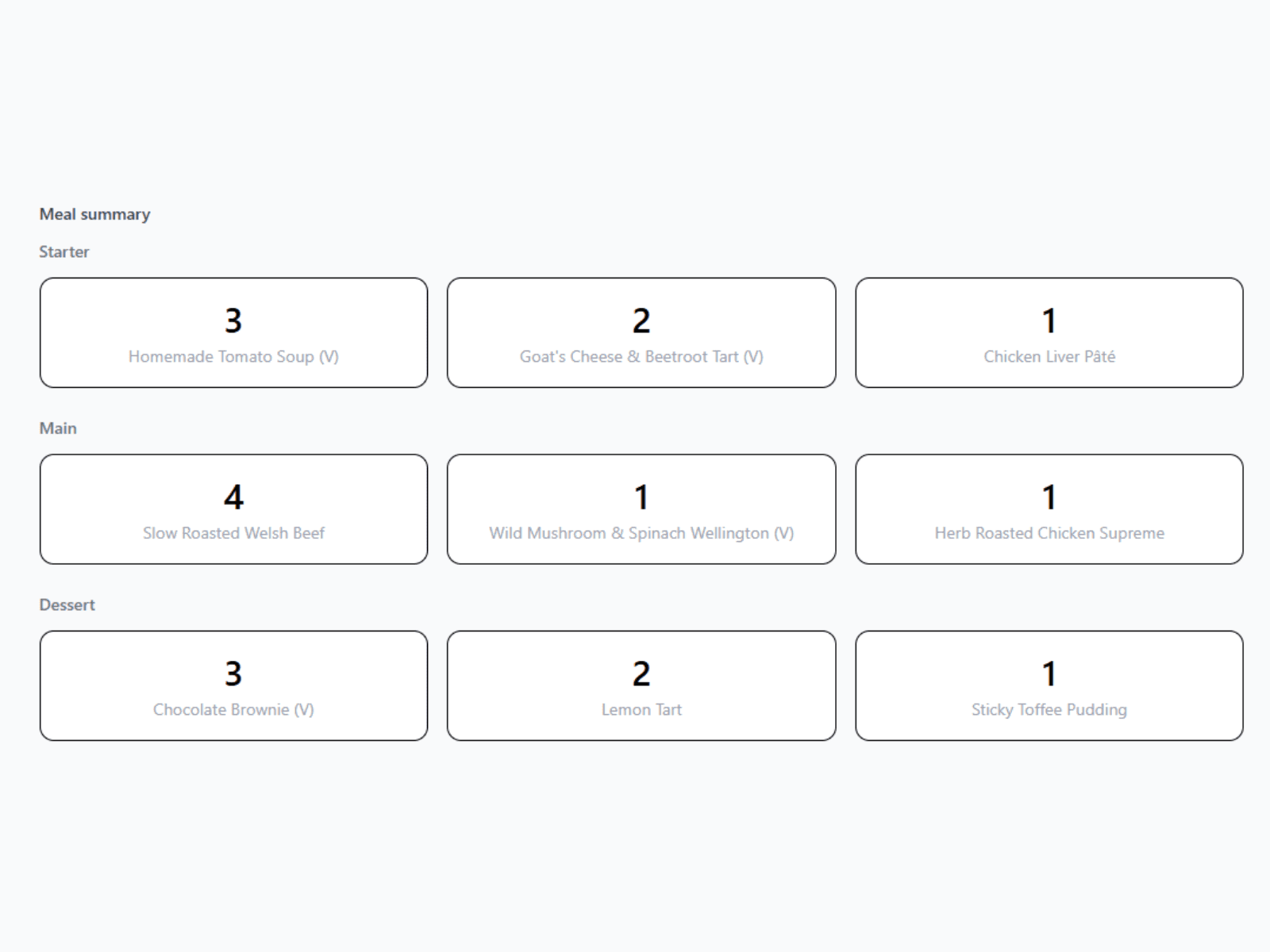
Meal summaries made easy
View meal totals clearly, including multi-course selections for caterers.
How it works
Create your RSVP page, share it with guests, then track responses as they come in.
Create your RSVP page
Add your event details, meal choices and invitation in just a few minutes.
Share your link or QR code
Send your RSVP link directly to guests or add the QR code to your invitations.
Track every response
See attendance, meal choices and notes update automatically in your dashboard.
Simple RSVP management, loved by hosts
Helping organisers collect responses, track guests, and stay organised.
"Really like the site and our portal, would recommend it to anyone"
Becca & Liam
"Guests had all the information they needed in one place"
Olivia
"The QR code worked perfectly and guests found it really easy"
Michael
Simple, one-off pricing
Create your event for free and upgrade whenever you're ready.
£16
One-time payment per event
- ✓ Unlimited guest responses
- ✓ RSVP link & QR code
- ✓ Meal choices & multi-course menus
- ✓ Invitation uploads
- ✓ Themes & customisation
- ✓ Guest tracking dashboard
- ✓ CSV exports
- ✓ No guest accounts required
No subscriptions. No monthly fees.
Free events are limited to 10 guest responses.
Frequently asked questions
Everything you need to know before creating your RSVP page.
Yes. You can create your event, customise your RSVP page, and test everything for free. Free events can collect up to 10 guest responses, and you can upgrade whenever you're ready.
No. Guests simply open your link or scan your QR code and submit their RSVP. No login, sign-up, or app required.
No. MySimpleRSVP uses a simple one-off payment per event. There are no monthly subscriptions, recurring charges, or hidden fees.
Most events can be set up in just a few minutes. Add your event details, customise your page, and share your RSVP link or QR code straight away.
Yes. Once your event is upgraded, you can download a QR code to add to invitations, wedding websites, or printed materials.
Yes. You can upload an image or PDF of your invitation, and guests will see it before responding. It’s a simple way to share your invitation and RSVP form in one place.
Yes. You can add your own meal options, including multi-course menus for starters, mains, desserts and more. Guest selections are tracked automatically in your dashboard.
Yes. You can let guests choose whether they are attending the full event, day only, or evening only.
Yes. You can export your full guest list as a CSV at any time, including attendance status, meal choices and notes.
Yes. You can personalise your RSVP page with themes, a cover photo, event details, custom messages and your invitation.
Once your page is created, you'll receive a secure link to your private dashboard where you can manage your event, track responses and update your RSVP settings.
If you need help at any point, email hello@mysimplersvp.com or send us a message on Facebook. We're happy to help.